Category Archives: Tech tips for writers

All kinds of tricks writers can use in writing and selling their books

THE THINGS YOU MISS WHEN YOU PROOFREAD, PART 2: Minute Finds and Fixes

Part 2: Proofreading Slips You Can Find and Fix in Minutes

Fact: You will miss things when you proofread your manuscript. Your eyes see what they expect to see.

Fact: A little creative use of Find/Replace, in Word or your preferred program, can find these hard-to-spot slips for you—and fix them with a keystroke.

I’ve split this post into three subposts, so you can use what you need when and if you need it:

These posts are based on Word, but most of the notations are universal. You should be able to apply them in any program you use.

Minute Fixes Using Find/Replace

Again, these are problems that are easy to miss if you’re eyeballing. Find has much better eyesight than you do!

In each case below, I will

  • List the problem,
  • Show you what to type in the Find bar in the Find dialogue box
  • Show you when to eyeball if context is important
  • Show you what to type in the Replace bar
  • Tell you when to click “Replace all” or when to eyeball before clicking Replace

Do NOT type “+” in the Find or Replace bars unless you are actually searching for the “plus” sign. I am using it below to indicate “then type.” There should be no spaces between symbols in the bars unless you are specifically searching for a space.

Problem: Double periods

  • Find: period + period (..)
  • Replace: a single period (.)
  • Click: Replace all

Problem: Comma + period or period + comma

  • Find: Either ., or ,. (Do one at a time)
  • Eyeball: The punctuation you need depends on the context
  • Replace: Minimize key strokes by doing all the ones that can be replaced with a period, then coming back and doing all the ones that can be replaced with a comma. Type either a period (.) or a comma (,).
  • Click: Replace

Problem: Extra spaces

Used to typing a double space after periods, and HATE being told that’s no longer preferred? You don’t need to remember to single-space. Do what you like. Then:

  • Find: Tap the space bar on your keyboard twice. (You will see nothing in the bar but the cursor will move.)
  • Replace: Tap the space bar once.
  • Click: Replace All.

Do this twice just in case you accidentally typed in three spaces here and there.

Problem: Tabs

If you’ve posted to Kindle or Smashwords, you know that tabs are NOT allowed. You’re encouraged to do all your formatting, including first-line indents, with Styles. But even if you apply a perfect Style throughout your manuscript, any tabs you haven’t removed will still be there, creating all sorts of formatting glitches.

  • Find: ^t (the ^ mark lives above the numeral 6)
  • Replace: leave blank
  • Click: Replace All.

Problem: Extra Returns

Make sure you didn’t accidentally insert a space between paragraphs.

  • Find: ^p^p
  • Replace: ^p
  • Eyeball, since some of your double returns will be deliberate, for example, to mark a scene break.
  • Click: Replace when appropriate.

Problem: Manual Line Breaks

These are those funny little arrows that sometimes show up when you’ve copied and pasted from an odd source, like an email. They won’t format properly when you upload.

Do you want the lines to combine into a single paragraph, or do you want a paragraph break?

Paragraph break: Do this first, then do each affected paragraph as a separate chunk (see “Single paragraph” below)

  • Find: ^l (lower-case L)
  • Eyeball: Locate places where you want a paragraph break; select only those.
  • Replace: ^p.

Single paragraph:

  • Find: ^l
  • Select the lines you want to combine.
  • Replace: space (tap space bar once)
  • Eyeball: Have you created double spaces? If so, replace double spaces with singles (see above).

Problem: Double hyphens to em dashes

Double hyphens (–) are a clumsy substitute for the more elegant and correct em dash (a long dash). On a Mac, you can create an em dash in your text by typing Shift + Option + hyphen, but on a PC, you have to “insert” the special character. So being able to type double hyphens and replace them with em dashes in one fell swoop can save a lot of time (you could actually program Autocorrect to do this if you want).

  • Find:  — (2 hyphens)
  • Replace: Open “More,” then “Special” in the Find box and click on “Em Dash.” The appropriate notation will appear in the bar. (The notation for an em dash appears to be different depending on your version of Word.)*
  • Click: Replace all.


*If any of the notations I’ve given you don’t work properly, use the Special list to figure out the correct one for your program or computer.
Next: Part 3: Creative Finds and Fixes

Back to Part 1: Secrets of Find/Replace

10 Comments

Filed under book design for creative writers, ebooks publishing and selling, Editing your novel, indie publishing, Print on Demand for fiction writers, Publishing, punctuation for writers of novels, self editing for fiction writers, Self-publishing, Tech tips for writers, Writing

Do you know how to publish an ebook with pictures?

Source: Do you know how to publish an ebook with pictures?

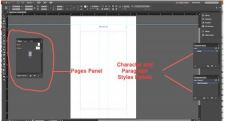
Workspace in InDesignHere’s a post from last fall that I swiped from Jean’s Writing! Now that I’m about to epublish my “Beginner’s Cheat Sheet” on formatting your own Print-on-Demand book using InDesign, I’m going to need all the help I can get on formatting ebooks with graphics! What I like in Jean’s video is the idea that you can force text and image to stay together. Does anyone have any experience adding graphics to Kindle ebooks? Does this look like a good process to you? Any help will be WELCOME!


4 Comments

Filed under Amazon Kindle Direct Publishing, book design for creative writers, business of writing, ebooks publishing and selling, indie publishing, Print on Demand for fiction writers, Self-publishing, Tech tips for writers, Writing

How to Tweet Like a Pro [Lab]

I’m working on developing these practices. Let me know if you have other tips!

Steve Boseley's avatarAuthor Steve Boseley - Half a Loaf of Fiction

Tweet like a proTwitter is one tool in an author’s bag that can, if used effectively, be utilised to assist in the building of your author platform, which you hope ultimately will result in book sales, plus it’s a great way to make a connection with influencers or to speak to your readers. But a question that was raised in my mind, was:

How do I compose an effective Tweet?

I recently wrote a guest post for Nicholas Rossis’ blog titled What is the best time to Tweet. Choosing the right time to Tweet is definitely an element of what goes into an effective Tweet. Check out that post (when you’ve finished this one!) for guidance.

But for a Tweet to be effective, it involves a lot more than just publishing at the right time, so read on for the anatomy of an effective Tweet.

Content

According to Twitter, there are…

View original post 1,581 more words

4 Comments

Filed under business of writing, indie publishing, Marketing books, social media for writers, Tech tips for writers, Writing

Creating a Universal Amazon Link – One Link Amazon Sites in all Countries

This is really important if you’re trying to run ad campaigns. It worked perfectly for me. Thanks to Don Massenzio for reposting his original advice.

Don Massenzio's avatarAuthor Don Massenzio

I posted this tip a while ago and got some positive feedback. If you set up buying links for your books, many of you are probably posting Amazon links for each country that you think your book will likely realize some sales.

There is no need to do this.

I was getting frustrated when I ran a free book promotion weekend and experimented with placing a Facebook ad that reached out to multiple countries. My dilemma with doing this is that I didn’t have a way to post all of the links for the various Amazon sites in other countries on my ad without it looking clumsy.

I searched for a way to create a universal link for my book. A universal link, when clicked by a potential reader, is designed to take them to my book on the appropriate Amazon page for their country.

All they needed to do was…

View original post 160 more words

Leave a comment

Filed under business of writing, ebooks publishing and selling, indie publishing, Marketing books, Print on Demand for fiction writers, Self-publishing, Tech tips for writers, Writing, writing novels

Do you want to know just the right word?

Thanks, Jean! I’ve been using Thesaurus.com with excellent results—way better than that thin list on Word. But this tool looks even more useful. I’ll give it a try today and pass on my results.

Jean M. Cogdell's avatarJean's Writing

Happens to me more than I’d like to admit!

I’ve found a tool to help!

I’m on a roll, typing like a maniac. 

Until I stumble over a word.

My writing comes to a screeching halt. A word isn’t right. But I don’t want to stop my progress. After all, I’m a writing maniac. So I use a placeholder, I’ll come back to this section later and figure out the right word or words to convey my thoughts.

However, I’ve now got an itch I can’t scratch. That thought, that missing word or phase will not leave me alone.

Ever happen to you?

My protagonist whispers he can’t work like this, it’s too unprofessional.

Sigh, okay, I cave, save what little progress I’ve made and return to my placeholder. So I…

  • Think, think, think, I’ve got nothing.
  • Look up the placeholder word. Huh? Not even close. What was I thinking?
  • Check thesaurus. What…

View original post 261 more words

Leave a comment

Filed under ebooks publishing and selling, Editing your novel, indie publishing, Print on Demand for fiction writers, self editing for fiction writers, Self-publishing, style for writers, Tech tips for writers, Writing, writing novels

8 Tips For Formatting Your Book

These tips from Don Massenzio may help you make formatting decisions. I particularly like the idea of using 1.5 line spacing instead of single spacing in print books. Maybe I’ll try that next time!

pile of letters for writing

Check out my Beginner’s Cheat Sheet for formatting your hard copy book in InDesign!

Don Massenzio's avatarAuthor Don Massenzio

This blog post is designed to help fellow independently published authors improve the quality of their work, but most of the tips here apply to the formatting of any book. I’m speaking of the formatting of books for the consumption of readers, not formatting your manuscript to send off to an agent or publisher.  There are a whole other set of rules for that exercise.

I’ve put together a list of ten tips that you should consider when putting your book together. They are not in order of priority, but together, they can make your book stand out from the millions of others available through your favorite sales channel.

1. Put Some Thought Into Your Cover

I have to admit, this was something I didn’t waste a lot of time on when I published my first book, Frankly Speaking. I just went ahead and used the Kindle cover creator and cranked…

View original post 1,641 more words

2 Comments

February 20, 2017 · 4:43 pm

6 Basic Tech Skills for Writers

Tech skills for writersHere’s a post about some of those mysterious tech skills that can confound non-tekkie verbal people like us writers. Check it out—whether you need to communicate with editors or with beta readers or if you just want to format your own book for Amazon or Smashwords. I can attest that you DO need Styles, and I’ve found GIMP, a free program recommended by this post, to work wonderfully as a graphics editor. You’ll need this information to format your hard-copy editions as well. Let me know what you think!

1 Comment

Filed under Amazon Kindle Direct Publishing, ebooks publishing and selling, indie publishing, Print on Demand for fiction writers, Publishing, self editing for fiction writers, Self-publishing, Smashwords, Tech tips for writers, Working with literary editors, Writing, writing novels

A Book Production Checklist for Indie Authors

A comprehensive list for producing your own book for ingram, CreateSpace, KDP, and others! Lots of links and resources. Thanks, Chris!

Chris The Story Reading Ape's avatarChris The Story Reading Ape's Blog

An extract by Carla King, on BookWorks Site:

img_7935

Are you ready to upload your book for sale to the online retailers?

Got all your front and back matter, images, fonts, and ISBNs?

Use this checklist to make sure you’ve done everything you can to create a quality book that competes with books produced in the traditional publishing houses.

But first, here’s a quick overview of the entire book production process.

It begins with an unedited manuscript and ends with a check of the final proof before distribution.

Continue learning at the following link:

Book Production Checklist

View original post

Leave a comment

Filed under Amazon Kindle Direct Publishing, book design for creative writers, business of writing, ebooks publishing and selling, indie publishing, Print on Demand for fiction writers, Publishing, Self-publishing, Tech tips for writers, Writing, writing novels

Do you know how to publish an ebook with pictures?

Here’s some simple advice that may prove useful even if you’re not working on a children’s picture book! Jean Cogdell tries things out for us and shares!

Jean M. Cogdell's avatarJean's Writing

Using MS-Word?

Success at last! When I loaded it up to KDP, everything worked!i-did-it

If you write children’s books or comic books, I’m sure you’ve heard of Kindle Kids’ Book Creator. This program is terrific. However, the program limits which electronic devices that can open and read the book.

I wanted my picture books to be available on e-readers and tablets. I found out after using KKBC for A Most Reluctant Princess; this wasn’t possible. Using KKBC limits which electronic devices available.  Since publishing my first picture book, I’ve read tips, blogs, instructions, and watched videos searching a way to use MS-Word.

No one had the answers I needed. So, I began experimenting until I figured out a process that worked.

My new book, A Reluctant Little Prince, in e-book form, is written on MS-Word and can be read on a Kindle. Yay!

For the print version…

View original post 132 more words

1 Comment

Filed under Amazon Kindle Direct Publishing, book design for creative writers, ebooks publishing and selling, indie publishing, Self-publishing, Tech tips for writers, Writing

Five Things Writers Need to Know About Facebook

This article answers some questions I’ve had recently about my rather desultory use of my Facebook resources. Please let me know if you’ve had a different experience, or if you agree!

mdellert's avatarMDellert-dot-Com

“If you try to use Facebook for something it’s not designed to do, you’re just going to get frustrated over the lack of results.” — Tim Grahl, author of Your First 1000 Copies

Recently, I was posting my latest giveaway opportunity to a variety of promotional groups on Facebook. A fellow author and Facebook friend noticed and messaged me soon after: “You’re posting a lot on Facebook recently. How’s that working out for you?”

What he was really asking me: “How does one successfully use Facebook for author marketing?”

Tim Grahl recently addressed this question on his blog (Facebook and Author Marketing, September 17, 2016), and my own experience in growing my social media platform confirms many of the assertions that he makes in his article. To understand how to use Facebook for author marketing requires an understanding of what Facebook was designed to do.

Facebook is a Peer-to-Peer Network

Exclusivity

Firstly…

View original post 957 more words

Leave a comment

Filed under business of writing, ebooks publishing and selling, indie publishing, Marketing books, Money issues for writers, Myths and Truths for writers, Print on Demand for fiction writers, Self-publishing, Tech tips for writers, Writing, writing novels