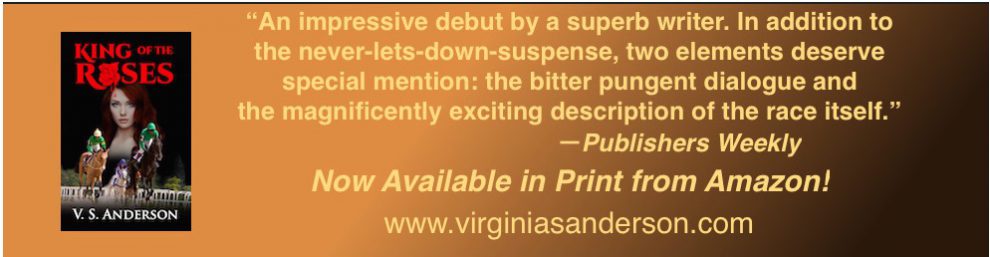
Victoria Strauss of Writer Beware reports on three small presses that have run into trouble in various ways. Sharing the word!
Category Archives: writing novels
Victoria Strauss: Small Presses to Beware of!
An Oldie but Goodie: 10 Things Writers Don’t Tell People
I think my non-writer friends probably don’t know these truths! Do yours? From Aliventures. (And I love her little riff on that/which at the beginning of this post. I’ve had some fun with the that/which distinction myself!)
Crazy Journey: Designing My Own Book for IngramSpark

Advice from a number of other self-published authors and bloggers led me to decide that my preferred path to getting my two previously published horse-racing mysteries out in print under my own copyright was to buy my own ISBN and start out at Ingram before moving on to Amazon’s CreateSpace. But I’m probably not alone in my panicked reaction at downloading the IngramSpark “file creation” specs.
My experience creating my ebooks for both Smashwords and Kindle Direct Publishing at Amazon was a breeze. I formatted my mss. in Word, uploaded them, and voilà, I had books. No errors, no “tickets.” But IngramSpark? Holy barf, Batman! What does all this stuff mean!
I hereby report that I am moving forward in my quest to conquer Ingram’s formatting requirements. I thought I would post progress reports, perhaps in hopes of encouraging others whose guts churn like mine did at the site of all those incomprehensible and unfamiliar commands.

If you’ve been through this, I hope you’ll take a moment in the comments to share your experiences, good or bad! (Even to tell me I’m just plain nuts. I won’t be offended! Really!)
Please note up front: The posts I envision chronicling my journey for better or worse are NOT how-tos! I am not an expert on InDesign, on formatting books, or on Ingram’s requirements. I can’t possibly match the expertise of professional book designers. I am simply sharing some observations and experiences, ideally as encouragement or in solidarity with others.
I have no idea where this effort will land me. I may be wasting my time on a task that doesn’t lend itself to amateur efforts. And after all, Ingram will sell you a template for around $50, as will other book designers—I haven’t tried a ready-made template, but might for the next book. I do have a funny feeling there’ll be some of the same technical work and correcting that I’m doing for my InDesign proof. We’ll see.
But here’s my rationale for moving forward on my own:

- First and foremost, it’s possible that I CAN do it. I won’t know till I try.
- Trying this out is not prohibitively expensive. One blogger who considered Ingram’s requirements beyond the pale counted $500 in purchased ISBNs as part of his costs; I haven’t made a decision about that phase of the process, but I do know I won’t be writing 500 books in the next few years—and I’d still have to buy ISBNs if I want to be distributed through Ingram, whether I hire a professional designer or not. In the meantime, I’m making a $20/month investment in software and an hour or so a day in time.
- I’m not on a strict deadline: I see this whole business of learning to market my books as a long-term project. Okay, so it takes me a month to do what a professional designer could do in a day. That’s not prohibitive, either, though for others it well might be.
- Besides, I like learning new skills. Weirdly, I find this fun! It empowers me to see how well I can accomplish what, at the start, looked so daunting. And maybe I’ll put these skills to use in the future. So if it turns out I have to give up and hire a professional, I’ll be out a nominal sum but I’ll have gained an experience I value. Again, my idea of value is probably not everyone’s.
- I’m not alone! Book designers are wonderfully generous with their expertise. I spent a whole day reading almost every article on Joel Friedlander’s superb site. I’ve found other marvelous sites I’ll share.

Since this is a preliminary report, I’ll start with some preliminary stuff. Baby stuff.
Like figuring out what “trim size” means.
Basically, it’s about how big (height and width, not page length) I want my book to be. (Here’s an infographic on trim size.) Ingram supplies a list of options, and I measured a few of the trade paperbacks on my shelves with a ruler. Smaller trim size means more pages. I started out choosing 5.5X8.5.
Like figuring out that I needed some software.
Working with the graphic-design program at my university to produce a slick magazine told me that the designers’ preferred platform was Adobe InDesign. But InDesign came with some built-in liabilities:
It’s expensive.
It’s scary as hell.
Could I just use good ol’ Word? After all, even my ancient “2008 for Mac” version offers all kinds of formatting options that I’d already mastered for my ebooks.
 I invested some time searching for “InDesign vs. Word” online. Not surprisingly, the professionals gravitate to InDesign as offering more control and more options even for plain text documents like mine. Not surprisingly, the comments sections were sprinkled with claims that a) everybody already had Word so it was effectively free; b) Word works fine; and occasionally, c) sure, professionals tout something we all have to pay them to do.
To me, comments like c) denigrate professionals and the expertise they’ve built up over the years. But were the rebels right? Could Word do the kind of job Ingram accepts (and readers want)?
I actually don’t know the answer to that. (Do you? Share!)
You can use Word: the File-Creation Guide at Ingram directs you to be to sure to create your pdf using the print dialogue box, which is where you can find the specific Adobe Acrobat formats you need.
But the Guide specifically says that they can’t support material created in Word. So using Word looks as if it might limit my chances for getting help from Ingram if I need it.
According to the designers, justification in Word can’t match an apparent algorithm in InDesign that prevents “rivers” of white space from irregular word spacing and other anomalies from marring your pages. It does seem that InDesign’s kerning, tracking, and leading options are more sophisticated. (Are they? What do you think?)
 Challenge: Money! Adobe stuff costs $$$.
Solution: Adobe allows a 30-day free trial and then the $20 monthly subscription plan. Twenty dollars for a few months—the cost of one meal out each month—doesn’t seem outrageous, especially when I’m having fun.
Challenge: Learning Curve! Adobe stuff is hard!
Solution: Buy a freakin’ book! Sorry, all you sweet video producers. A, I can’t watch your videos from home because they devour my data; and B, I can’t remember enough and have to watch again and again. At my university, we have access to the inestimable Lynda.com; I’ve watched the videos several times. But when you’re sitting at home staring at a blinking cursor, you must be able to thumb through the index and look things up!
My local Barnes and Noble offered a few alternatives. I chose Classroom in a Book because I liked the pictures. Uh, okay, I chose it because it did look as if it gave me a step-by-step combination of visual and text instructions. I’ll review it as a learning tool down the line.
I’ll end this first post with a quick word of encouragement: if you’ve ever delved at all into formatting with Word—using Styles, for example—or if you’ve ever worked with an app like the Mac “Preview” program, or “Paint” on a PC, where you can select, resize, edit graphics, etc., you already have a majority of the skills you’ll need to do basic text formatting in InDesign.
So, today’s takeaway:
- You can get definitions and guidance through some terrific online resources.
- You may or may not need software. If you do decide tackle InDesign, it’s not prohibitively expensive.
- You can learn the software. You’re probably two-thirds of the way there! I’ll report on how I did it in future posts.
Motivate Yourself by Submitting to a Writing Contest
Here’s a new list of contests you might find helpful, from the writers at Live to Write—Write to Live. Check it out!

Today’s post is as much for me as it is for you. You see, I’ve been quite lethargic about writing fiction lately, as my business has been so pleasantly busy that I don’t have time to write for fun.
I put don’t have time in italics, since, we all know that we make time for what is important to us. I do have time. I have the same amount of time as everyone else and if I truly want to write fiction, I will find a way.
Today’s post is my self-motivation for finding that way.
Submitting to contests is a great way to be inspired to write, to actually write, and to actually submit. I’ve done it. I know it’s always fun and challenging and a unique way to get the must to come out and play.
My all-time-favorite contests are the quarterly 24-hour contests by WritersWeekly.com
View original post 298 more words
“That” or “Which”? What Would You Choose?

A New Yorker editor writing in the Times Literary Supplement debates a grammar textbook writer! Loads of fun. I personally think the “which” in the sentence under scrutiny should be “that.” It clearly refers to the “sourness” and “relentlessness,” and yes, these are appositives, and yes, the point following “which” is essential to the meaning of the sentence. Do you agree?
Aren’t words a hoot?
Top Ten Things a Writer Doesn’t Want to See in a Review
Pretty funny from Lindsay Schopfer! I am glad to report that on my Book Reviews for Horse Lovers page, I have not yet been guilty of any of these!
7 really useful ‘How To’ articles – Getting the word out on WordPress
A wow from Sue Vincent! If you’re a WordPress blogger (or reader), these tips will make the process more efficient and enjoyable.

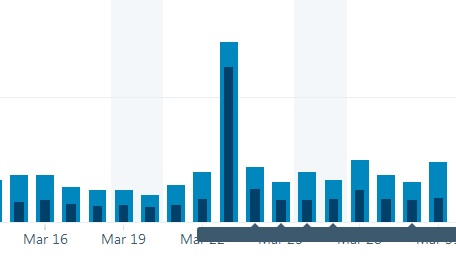
A few weeks ago I had a bit of a blip in the stats. Both visitors and views went up to several times the usual numbers. I was curious, especially as there hadn’t been anything of exceptional note published that day. The normal haiku, a couple of reblogs, and a couple of posts that were relatively lightweight. Nothing that might have been able to explain the hike in the figures.
There were no more ‘likes’ per post than usual… it seemed odd and, though not at all ungrateful for the extra traffic, the blue spike in the graph sort of bugged me. It reminded of that universally recognised digital taunt… the middle finger.
Was it telling me that I should stick to lightweight stuff if I wanted these kind of figures? That fluff is preferred over substance? I know that simple posts, easy on eye and mind get more of…
View original post 780 more words
Filed under writing novels
Demystifying Amazon Giveaways
Let me know your experiences with Amazon giveaways. Are they worth the effort? Do you agree with this terrifically detailed and helpful post?

 The real one bounces
Amazon got into the “giveaway” business about a year ago, and they have been tweaking and tuning and changing them ever since. As a result, any research you do on whether they are a good promotional tool is going to turn up a lot of outdated information. If it isn’t Spring 2016 as you read this, then consider this post outdated too. Go look for a better source.
One of the recent changes was allowing you to give away Kindle books. That seemed like an interesting new approach to raising awareness. If you follow this blog, you know awareness is the only problem you have as an author promoting your books. But there are so many questions! So for the past couple of weeks, I’ve been sciencing the fuck out of these giveaways, to try to get some answers.
How an Amazon Giveaway Works
You start…
View original post 2,352 more words
Filed under writing novels
Em Dash Love!
I’ve been reading an ebook in which I’ve encountered a small formatting problem that interrupts my immersion in the story. Whoever set this book up for Kindle asks hyphens to do the work of dashes.
Why Not Use Hyphens?
 This practice creates problems in two ways:
First, it’s easy to miss the tiny hyphen when it marks a move from one clause or phrase to another:
He really hated the food at that organic restaurant down on the corner of Main and First-all green slimy stuff full of grit.
Compare:
He really hated the food at that organic restaurant down on the corner of Main and First Street—all green slimy stuff full of grit.
Second, my brain sometimes wants to read two hyphenated words as a compound noun or adjective rather than as a border between clauses.
She took the slow train out-bound to make her late!
Compare:
She took the slow train out—bound to make her late!
 In such cases, I’m thrown off course and have to break my concentration to go back and find where I took the wrong turn.
Using dashes properly can prevent these wobbles.
What Do Dashes Do?
Above all, they “set off” sentence elements, much like colons and commas: pointing to new, related information or isolating an “interrupting” element, but more visibly and with more emphasis.
Compare:
They do much the same work that colons and commas do—pointing to new, related information or isolating an “interrupting” element—but more visibly and with more emphasis.
They also indicate an abrupt breaking off, usually in dialogue, but also possible in narrative if the author chooses a conversational voice.
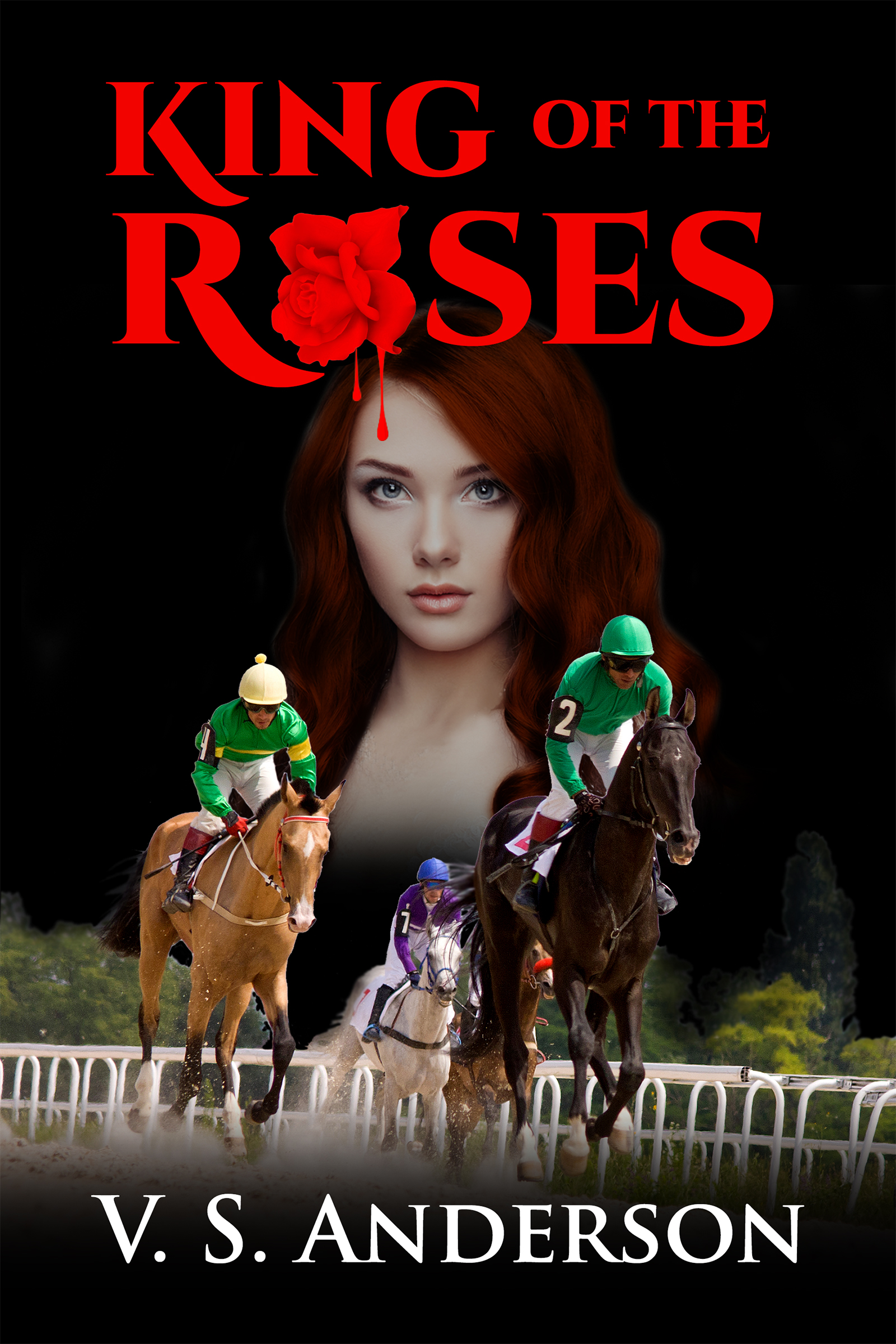
Here’s an example from my book King of the Roses:
“The race will go on as scheduled,” he said. “Order the riders to the paddock.”
“But—”
“But—”
“We can’t—”
“This racetrack will not be governed by the indefensible behavior of one man.”

Doing Dashes Right
In my writers’ group, how to create dashes comes up fairly regularly. To my surprise, many in the group don’t know how to create the standard “em dash.” Some folks new to formatting do fall back on the single hyphen (recently I saw a single hyphen with a space after it). The most common option, however, is two hyphens, sometimes with spaces before and after, sometimes without spaces. (Eeek! I note that the CSS for this theme corrects the two hyphens to a dash, so I can’t fully make my case here that an em dash is preferable. I foxed WP by adding a space between the hyphens, which almost works):
His favorite meal – – a big sticky burger oozing grease – – couldn’t be had at Greens and Grit.
I don’t have huge issues with this choice. To me, though, the standard em dash is more assertive. Compare
“But – – ”
“But—”
And an em dash is so easy to create!
Creating em dashes
 Asked how to generate an em dash at a writing group meeting, I shared what I assumed was universal practice: Shift-Option-Hyphen. Nope, I learned. That’s Mac practice. For PC users, that didn’t work. So I had to figure out how to do it on a PC.
Answer for PC: Insert/Symbol
The first time you do this, you should select the subset “General Punctuation” and scroll until you find the likely culprits. Clicking once on an icon in the table of choices will tell you whether you’ve actually located a true “em dash” as opposed to a horizontal line or something called an “en dash,” which Wikipedia says can be used as a valid dash if it is set off by spaces, but which is also used for “spans” as in this example from Wikipedia:
The French and Indian War (1754–1763) was fought in western Pennsylvania and along the present US–Canadian border (Edwards, pp. 81–101).
Once you’ve located a true em dash and inserted it into your text, you can copy it and use it wherever needed using CRTL or COMMAND + V.
This site gives Autoformat options for creating em and en dashes on a PC, if you have that process set up. A simpler option, in my view, for always having the dash you want at hand on a PC is to paste one into a Word file, name the file “Dash,” and open it as needed. In your document, type whatever you like as a placeholder, as long as you’re consistent: two hyphens, two xx’s, two smiley faces (do avoid combinations that could conceivably occur elsewhere in the text, such as “bb”)—then use Find/Replace. Type your placeholder into the “Find” box, paste your dash of choice into the Replace box, then click “Replace All.”
Done.
Of course, proofread to make sure you didn’t convert something you didn’t intend to!
And now I must go dashing off—! (Sorry! ) Tra-la!
Filed under writing novels
COPYRIGHT INFRINGEMENT?
Follow up to the post below about book theft! Chris the Story Reading Ape supplies links and specific advice, as well as a DMCA form letter and a way to find the offending server. Keep this page!
VERY IMPORTANT!!! DO NOT SEND THE OFFENDING SITE A DIRECT NOTICE. They may be a click farm looking for you email and you will be infected with a virus. If they are on Facebook – Use Facebook’…
Source: COPYRIGHT INFRINGEMENT?



 Just Can't Help Writing